Automatic discovery
Once enabled, the crawler discovers and verifies torrent metadata in the background. Your index stays on your server and grows as new torrents are found.
 Ferromagnet
SELF-HOSTED TORRENT SEARCH
Search torrents and preview files in your browser. Run Ferromagnet alongside Jellyfin or Plex, then use your torrent client to download what you want.
Free to use, with no account or subscription.
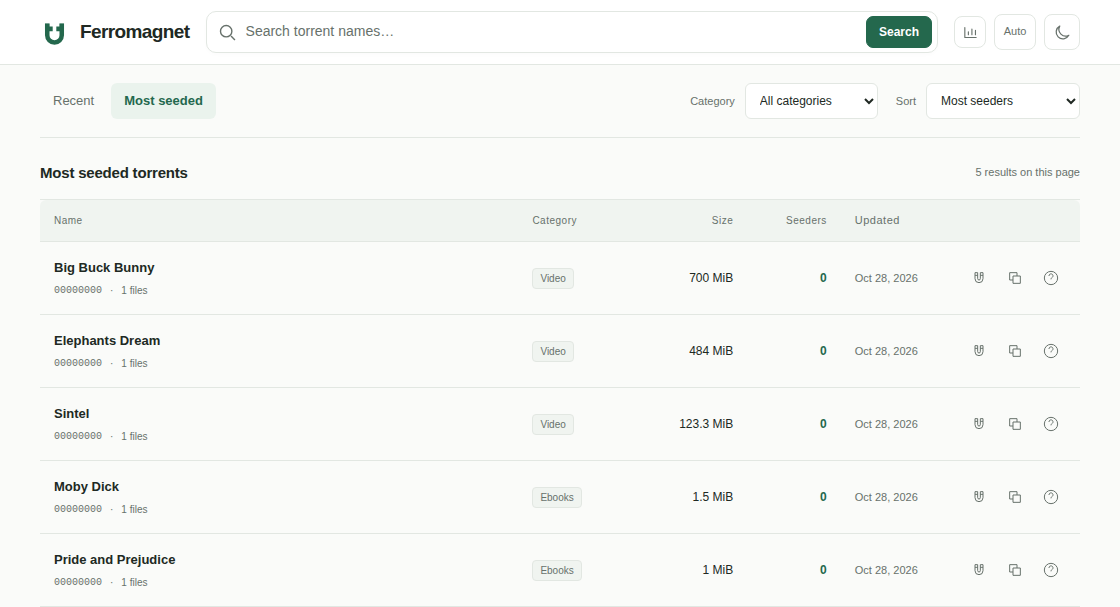
IN THE APP
Video, music, comics, and ebooks
in your browser.
FEATURES
Ferromagnet indexes torrent metadata from the DHT network. Search the index, see what’s in a torrent, and preview individual files before choosing a download.
Once enabled, the crawler discovers and verifies torrent metadata in the background. Your index stays on your server and grows as new torrents are found.
Search by name, filter by category, and sort by size or peer count. Open the file list to check a torrent’s contents, then send its magnet link to your torrent client.
Watch video, play audio, read ebooks and PDFs, or browse comics in the web interface. Preview files download to a temporary cache that is cleared after use.
JELLYFIN & PLEX
Search beyond your Jellyfin or Plex library. Preview the files you find, download them with your torrent client, and add them to your collection.
INSTALLATION
Install Ferromagnet on your seedbox, VPS, or local Linux server. The download includes the web interface and database engine, with setup guides for each environment.
Install in your home directory without root access or Docker. The guide covers password setup, background discovery, and access over SSH.
Read the Whatbox guide →SELF-HOSTEDRun the binary locally, or keep it running with systemd on a VPS. Start with private access over SSH.
Read the Linux guide →DOWNLOAD / 0.1.1
The web interface, search engine, and reader
in a single download.
FAQ
Yes. Ferromagnet is free for personal and commercial use, with no activation or subscription. The app is closed source; third-party components retain their own licenses.
Ferromagnet handles search and previews. Your torrent client downloads the files, and your existing import workflow adds them to Jellyfin or Plex.
Results come from torrent metadata discovered by your instance over DHT. Each installation builds its own index. Enable discovery during setup and leave the crawler running to populate it.
Discovery fetches metadata. Choosing a preview downloads torrent content into temporary storage, which consumes disk space and bandwidth. Preview peer uploads are disabled. DHT discovery still exchanges network messages with peers.
Start with loopback HTTP and an SSH tunnel. For a shared deployment, use HTTPS, native Basic Auth or a trusted authentication proxy, and edge rate limits. The ingestion admin token does not protect previews. Preview links can grant temporary streaming access to anyone who has them.
Use the Linux download on a Whatbox seedbox, VPS, or local server. The setup guides cover access, authentication, and discovery. Crawler concurrency, preview sessions, and cache limits are configurable to suit your server.
Use the feedback form below. Include your version, hosting type, and the steps that led to the problem. Leave out passwords, private URLs, and personal files.
FEEDBACK
Report a problem or suggest an improvement. No name or email is required. Privacy details.